 VoxDown
Write stories to be read aloud.
VoxDown is plain text that marks who says each line, and how. Write in the free VoxDown Writer, hear it as you go, and make it an audiobook with a voice for every character.
Free and open source. No account. Your story never leaves your computer.
A writing app that knows who is speaking
The VoxDown Writer is a calm page for writing fiction, scripts and audio drama, with the cast and the reading beside you.
@MaraWho says this- Give each line its speaker with Ctrl+K, or let an AI you already use make a first pass for you to check.
(whispering) {pause}How it’s said- Directions like whispering, pauses, sounds and stressed words, each in its own colour and never in the way of the words.
F9Hear it as you write- Press F9 and the scene is read from the cursor by your computer’s voices, a different one for each character where it has them.
[door slams]From draft to audiobook- Print the book, the script or each performer’s lines, or make an audiobook with the voices you choose.
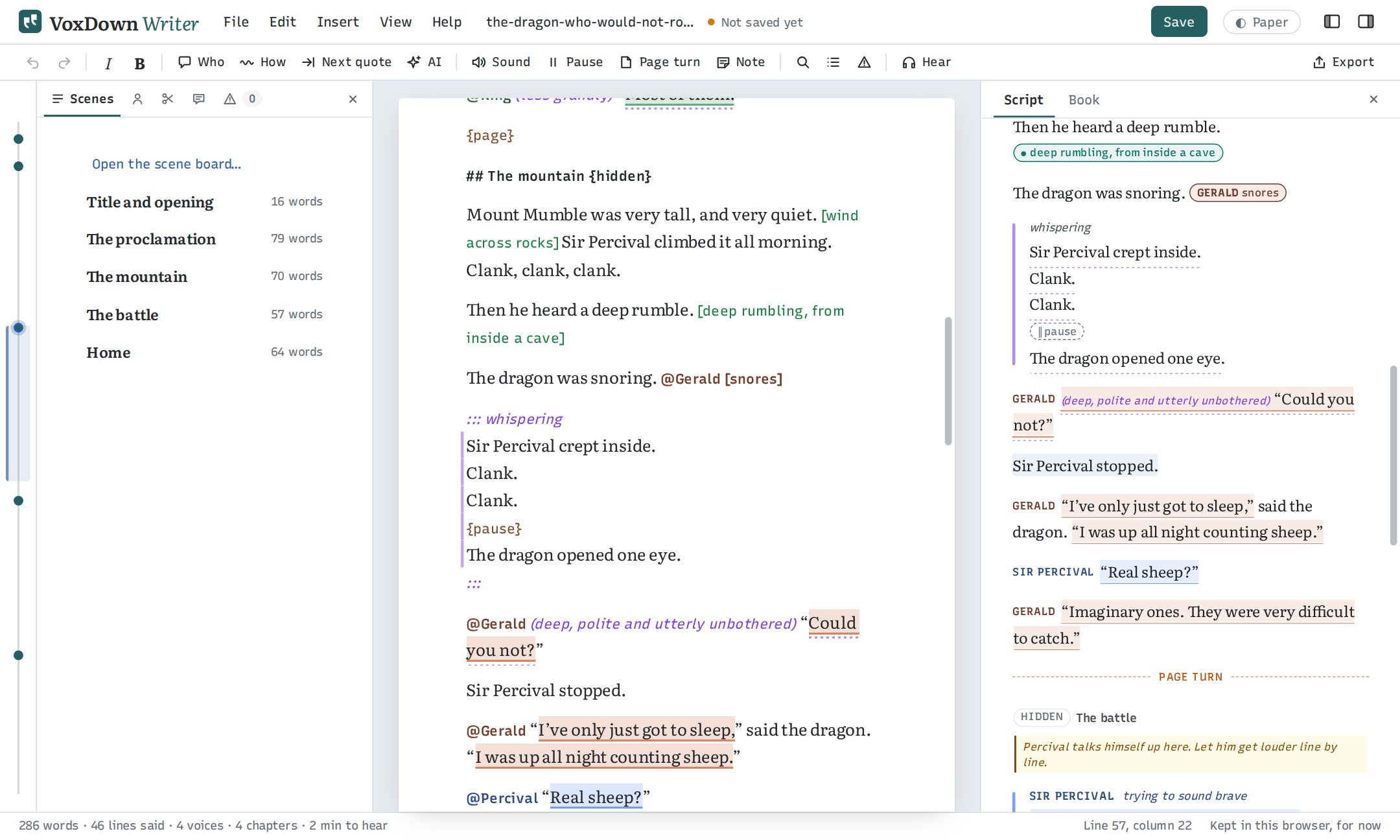
Also: Word, EPUB and Fountain in and out, named versions to go back to, focus mode, designed themes, and it keeps working offline.
Your story stays with you
- No account
- Open the Writer and start. There is nothing to sign up for.
- Nothing uploaded
- The Writer runs in your browser. It opens files from your computer, saves them back there, and keeps working offline.
- AI only when you ask
- Paste a request into any AI chat you like, or connect the AI already on your computer. Nothing is sent until you press the button.
- Voices on your computer
- Hearing a scene uses your computer’s own voices. Online voices only if you say yes.
Free, with nothing held back
The Writer, the format and every tool are open source under the MIT license, and the specification is CC BY 4.0. No subscription, no ads, no analytics.
Audiobooks cost nothing with Kokoro, which runs on your own computer. Or use ElevenLabs, OpenAI or Azure voices with your own account, at their prices.
Plain text underneath
A .vxd file is Markdown with a few marks. Any editor opens it, Git diffs it, and a Markdown viewer still shows a readable story.
- The specification, and every mark on one page
- The playground, to see a story become a script, a book and lines
- VoxDown for VS Code, with colours, warnings and a preview
- The source on GitHub
npm install voxdown
npx @voxdown/cli check story.vxd